 Epist
Epist
Email in your terminal,
vim-style
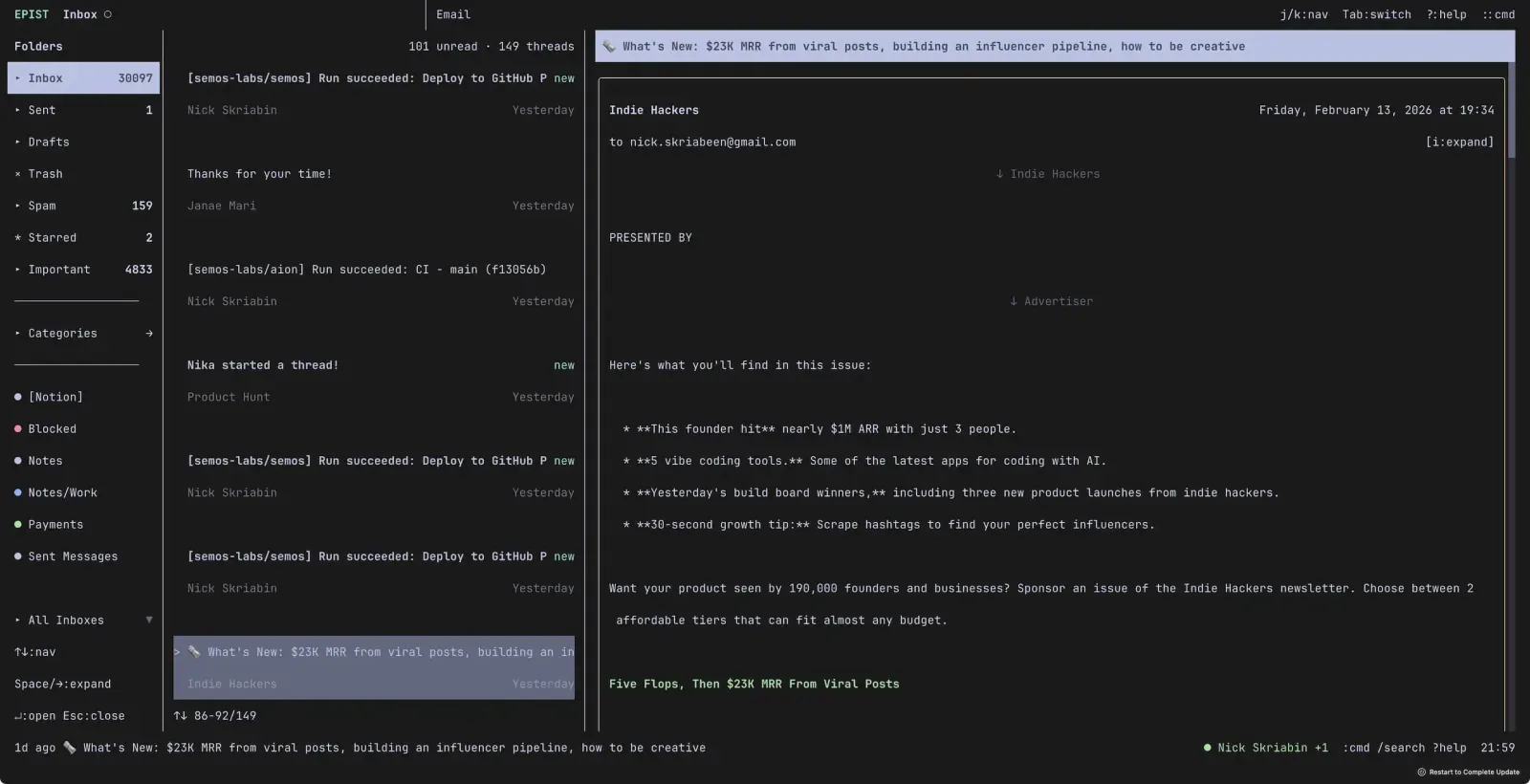
Gmail and IMAP/SMTP in your terminal. Two-column layout, threads, search, attachments, calendar invites. Everything navigated with vim keybindings.
$ brew tap semos-labs/tap
$ brew install epist
macOS (Apple Silicon & Intel) · Linux (x64 & ARM64)
Features
Vim Keybindings
j/k, gg/G, h/l — the usual. If you use vim, you already know the drill.
Two-Column Layout
Email list on the left, full view on the right. Switch with Tab.
Gmail + IMAP/SMTP
Gmail via OAuth, IMAP/SMTP for everything else. Mix both in one client. Syncs every 10s in the background.
Thread View
Conversation threads with [/] to navigate between messages.
Two-Step Search
Local filtering first, then hits the server. Fast enough that you don't notice the switch.
Attachments
View, save, and open attachments. Bulk save with S.
Calendar Invites
Auto-parse inline and .ics invites. Accept, decline, or tentative with a keystroke.
Bulk Actions
Select multiple threads with x, then archive, delete, or move.
Compose & Reply
Full compose, reply, reply-all, forward, and quick inline reply.
Labels & Folders
Gmail labels and IMAP folders with colored dots. Collapsible categories.
Local-First
SQLite cache on disk. Your data stays on your machine. Starts instantly.
Themeable
Customize every color via TOML configuration.
Keybindings
Email List
Email View
General
Built with Glyph — the React renderer for terminal UIs
Privacy Policy