Why I Built a React Renderer for the Terminal
The story behind Glyph — how a dumb experiment with React's reconciler turned into a terminal UI framework that actually works.
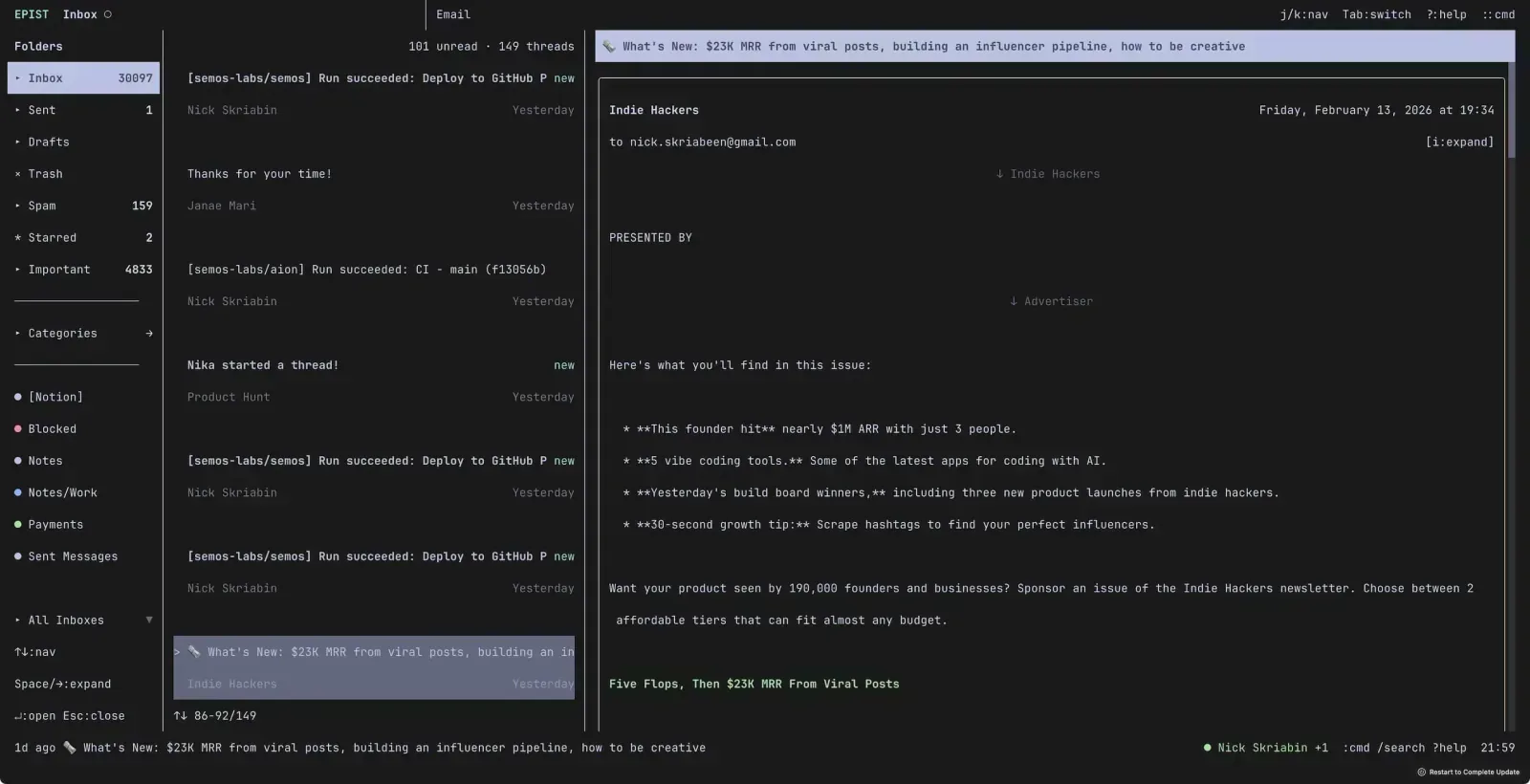
I live in my terminal. Neovim, git, SSH, scripts — that’s my whole day. And honestly, I love it. The terminal is fast, composable, and doesn’t get in your way.
But building terminal UIs? That’s where things get ugly. Every time I wanted to make something interactive, I’d end up wrestling with curses wrappers, raw escape sequences, and layouts calculated by hand. Column by column, row by row. It felt like writing HTML in 1997.
Meanwhile, on the web, we’ve had React for over a decade. Components, state, flexbox, hooks — all the good stuff. And I kept thinking: why can’t I just write terminal apps like that?
So I Tried
React has this thing called react-reconciler. It’s the engine behind React DOM, React Native — basically anything React renders to. The DOM is just one target. What if the terminal was another?
I didn’t expect it to work well. It was a weekend experiment, honestly. But the first prototype could render <Box> with flexbox (using Yoga, same engine React Native uses) and <Text> with styles. Hooks worked. State worked. Effects worked. All just… painting to a terminal instead of a browser.
function App() {  return (    <Box border="round" padding={1}>      <Text bold>Hello, Glyph!</Text>    </Box>  );}
render(<App />);
That’s a bordered box with bold text in my terminal. No escape codes. No cursor math. Just components. And it actually felt good to write.
It Kept Growing
What started as “can React even do this?” turned into a real framework. I added an input component, then a select, then scroll views, then focus management with tab navigation and scopes, then a whole JumpNav system (think Vimium but for terminal apps). Double-buffered rendering with character-level diffing so only changed cells get redrawn.
At some point I looked at it and realized — shit, this is actually usable. Not a toy. A real thing you can build real apps with.
And Then I Built the Apps
Here’s the thing — I always wanted Google Calendar in my terminal. Tried every option out there. Too complex, too ugly, or just didn’t feel right. Same with email. Existing terminal clients felt like they were designed for a different decade.
But now I had Glyph. I had flexbox. I had components and hooks and a focus system. Everything I needed to build exactly what I wanted.
So I built Aion — a Google Calendar client that I now open first thing every morning. Then Epist — Gmail with vim keybindings, threads, attachments, calendar invites, the whole thing. Both built entirely with Glyph. Same React patterns, same DX.
The framework proved itself not through demos but through real, complex apps that I use every single day.
Why Should You Care
If you’ve ever wanted to build something interactive in the terminal — not just another CLI with console.log, but something with real layout, navigation, keyboard handling — Glyph lets you do that with React.
You already know the API:
$ bun create @semos-labs/glyph my-app$ cd my-app && bun devThat’s it. Hot reload, flexbox, the full React component model. All in your terminal.
Everything’s open source, MIT licensed, TypeScript all the way through. Check out the docs or the code on GitHub.
The terminal deserves better software. I think we’re getting there.